Showing posts with label tech. Show all posts

Animation Tip: Back and Forth

More than Mr. Incredible's right arm moves.

"When you move from one pose to the next, nearly every single body part should move, even if it’s only a little bit. And you need to make sure each part moves naturally." So how does an animator do this? ... in 2D? ... in 3D?

Read more

Previous animation tip from sabudesign: Internal Silhouette

WIDE SCREEEEEEEEEEN

When I worked at Oska Software my boss got two huge wide screen monitors and set them up side by side on his PC, he thought it was the bees knees, but this would make him green with envey.


And check out this thing called a Heye Wall.

Technology

Could this be how we will all be making animation in the future?

Comming from Nintendo

Man when I was a kid, my friends and I would sit around our Comador 64s dreaming of a time far off in the future of human kind when there would be games like this. Got here a bit faster than I expected (the interesting bit doesn't start till a little over half way through)

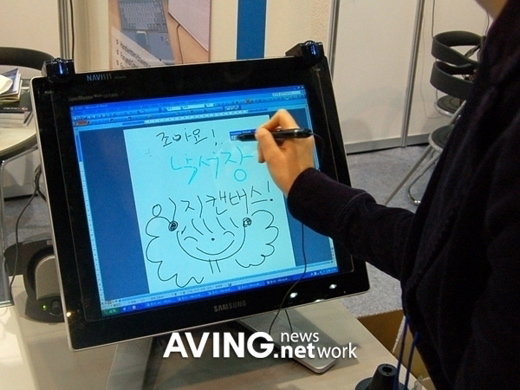
An Afordable Graphics Tablet!

Check this out, these things are selling for about 80 bucks US, way cheeper than a Wacom. At this stage I would guess it doesn't offer the same level of control, but I'll be keeping an eye on the technology, the price difference is staggering.
Click the pick to see more

PAP - Plastic Animation Paper

I've mention PAP in class a fair bit over the past few months, but some folk were still asking me about it today (anyone would think you don't listen to me) so I thought I'd put up a post about it. It basically turns your PC into a drawing lightbox. There are three versions, Free, Home and Pro, the free version comes with a trial version of the other two. The more advanced versions come with extras like a rotatable cancas and simple lightbox function, its all good.
Click the pic for the link

Line testin testin testin!

Pretty much since I turned up at Southbank I've been trying to find a way to simplify the linetesting setup for our students. Just ask Terry, every other week its, "what about this program? Could we do it this way? Can this program do that or be used with this?"
Its crazy to have it being a big hassle to shoot a line test when its at the linetester that you can learn the most about animating. The biggest problem we have at Tafe is that we don't have a single program that can shoot the frames and then play the frames back in a way that lets you manipulate the timing (which is half the reason you do linetests), you have to open one program, shoot em, export em, open another program, import em, bluurrrg.
click the pic for the link
Well finally I've found something that I think can do the lot (shoot the frames, multiple layers, import sound, play the animation back) and its FREEE! Monkey Jam, kooky name, great product. I'll look into getting it on the Tafe computers (Basically that means I'll nag Terry about getting it on the Tafe computers), but in the mean time you can use it at home if you like.

Free Stuff


Here is a link to a free program thats the spitting image of Painter. And its FREE!
http://www.artweaver.de/index.php?en_version